Grounded retrieval
Answers pull from your notebooks, PDFs, and docs—not generic web prose—so every reply stays tied to what you saved.
Now on Google Play · Internal testing
Upload notes and PDFs, browse your library, and chat with answers that cite the source—streaming, grounded, and built for the materials you already trust.
NotelineAI
AI capabilities
Neutral surfaces, deliberate spacing, and a single vibrant accent—so your product story stays readable while the intelligence still feels present.
Answers pull from your notebooks, PDFs, and docs—not generic web prose—so every reply stays tied to what you saved.
Token-by-token generation keeps long explanations readable. Pair it with the preview above to feel latency-conscious UX.
Inline references make it easy to verify a claim, jump to the source excerpt, and trust the assistant in high-stakes work.
Your corpus is the trust boundary. When something is not in your library, the model says so instead of inventing confidence.
Works with your stack
Connect knowledge and workflows—neutral by default, purple accents where it matters.
Preview
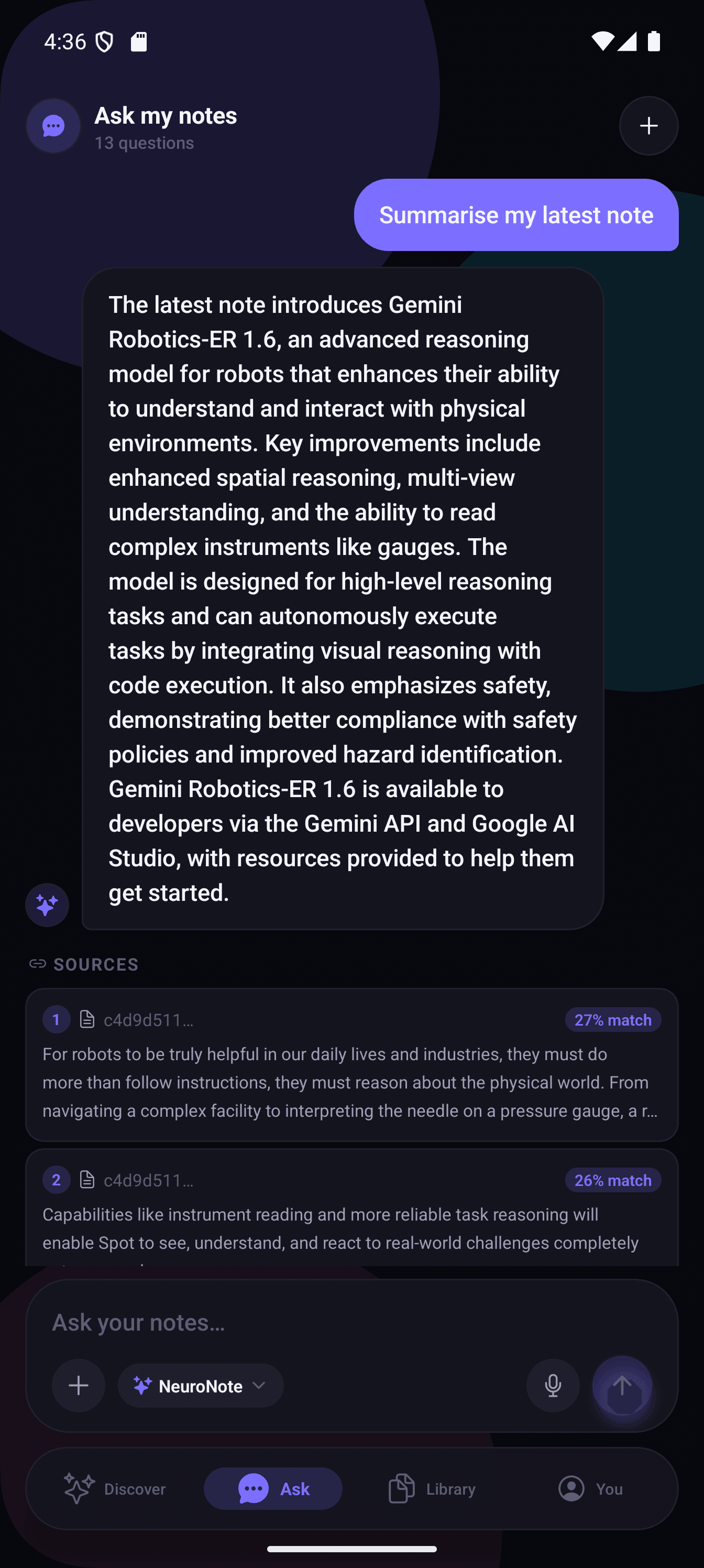
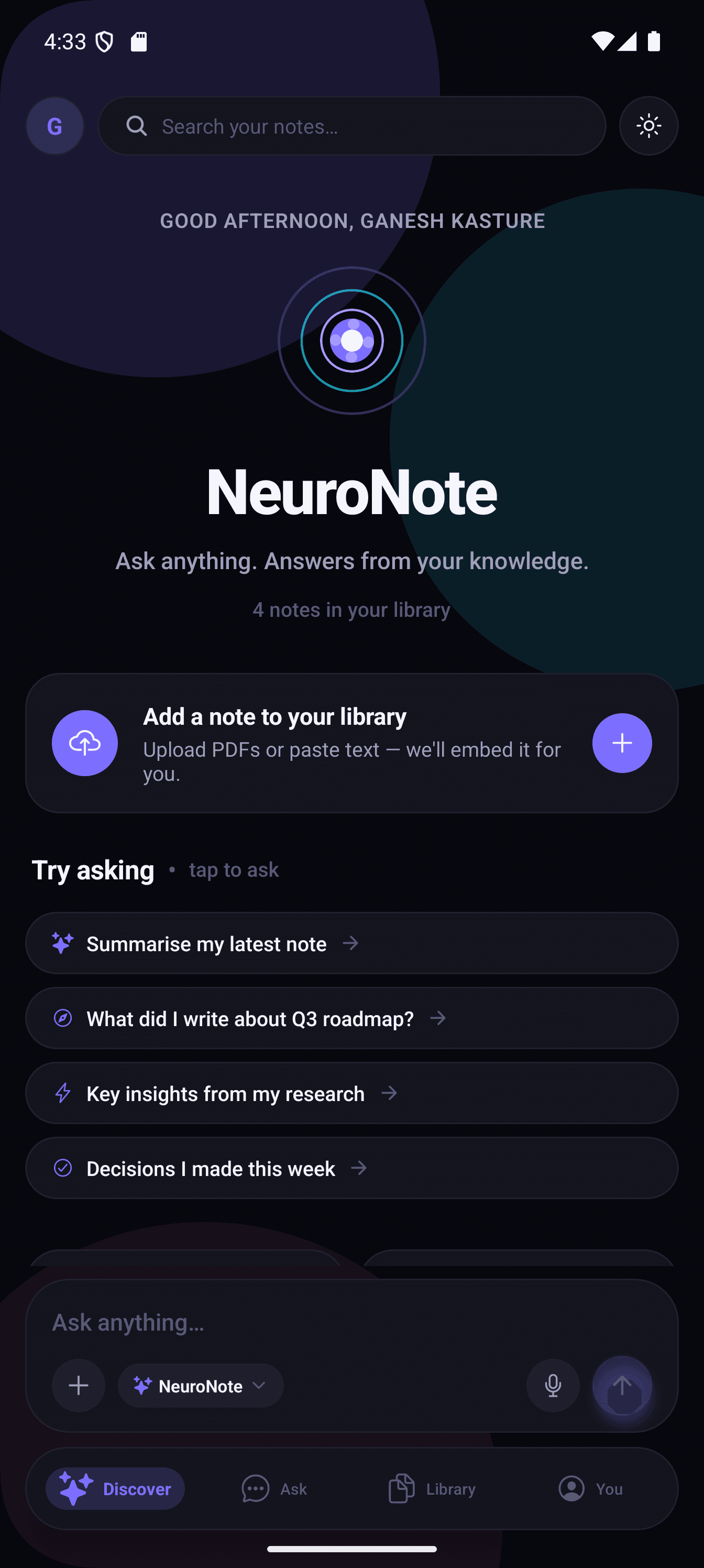
Flip between your note library and a focused chat thread. Upload what you’re learning, ask follow-up questions, and read answers alongside the exact excerpts they came from—ideal for reviews, briefings, and research that has to hold up to a double-check.
Inside the app
A personal assistant that treats your uploads as the only textbook—so study sessions, briefing notes, and side projects stay grounded in what you chose to save.
Save text notes or PDFs into NotelineAI—meeting prep, research, class notes, or long documents you want to query later.
Browse everything you’ve uploaded in one place. Remove items you no longer need so your assistant only draws from what still matters.
Chat in everyday language. Replies point back to short excerpts from your files so you can confirm an answer before you rely on it.
We’re shipping the core upload → chat → sources loop first. Here’s what we’re lining up once that foundation feels rock solid.
Features
NotelineAI behaves like a study partner that has only read your bookshelf: upload notes and PDFs, manage the list, chat naturally, and lean on citations when an answer needs to stand up to scrutiny—all before broader roadmap items like saved threads or voice arrive.
Capture articles, syllabus PDFs, or pasted highlights in one inbox. NotelineAI turns them into a private reference you can quiz anytime.
See every upload in one list with titles at a glance. Delete what’s outdated so answers only reflect material you still trust.
Ask how concepts connect, what a doc says about a deadline, or for a recap before a meeting—without rewriting your notes first.
Each answer points to short excerpts from your files. Open the snippet, confirm the wording, and move on with confidence.
If your library doesn’t cover the question, you’ll hear that clearly instead of confident guesswork that sounds right but isn’t yours.
The assistant is built to reason over what you brought in—keeping the experience centered on your materials, not random web noise.
Light and dark themes, generous spacing, and a flow that keeps reading and chatting uncluttered during long sessions.
Download
The app is live on Google Play internal testing—upload notes, skim your library, and chat with cited answers in one pocket-sized flow. iOS is coming soon.
Internal testers: use the Google Play link above or your Play Console invite. Questions? Privacy policy.
App Store and the Apple logo are trademarks of Apple Inc. Google Play and the Google Play logo are trademarks of Google LLC.
Waitlist
Not on the Play internal test yet? Leave your email—we'll send one note when wider access opens or iOS ships.